GitHub User Activity is a Shell Script command-line tool that fetches and displays a GitHub user’s activity through the GitHub API. It uses the Gum tool for interactive terminal prompts, letting developers view repositories, commits, pull requests, and other activity directly from their terminal in a clean, readable format.
What is GitHub User Activity?
This project is a Shell Script-based tool designed to fetch and display GitHub activities using the GitHub API. It leverages the Gum tool for enhanced command-line user interaction, providing a simple and interactive way to track repositories, commits, pull requests, and other user activities. The script efficiently handles API requests and presents data in a user-friendly format, making it ideal for developers who want quick insights directly from their terminal.
This project was created for a challenge on Roadmap.sh. If you like this project, feel free to vote for the solution on Roadmap.sh
My Role
I built this project as my solution to a Roadmap.sh challenge. I wrote the Shell Script that calls the GitHub API, handles the requests, and formats the response so activity is easy to read in the terminal. I also integrated Gum to make the command-line interaction interactive and user-friendly.
Tech Stack
- Shell Script - the core scripting language used to call the GitHub API and process the results.
- Gum - a tool for building interactive, user-friendly command-line prompts and output.
- GitHub API - the data source for a user’s repositories, commits, pull requests, and other activity.
- Roadmap.sh - the platform whose challenge this project was created for.
How does GitHub User Activity work?
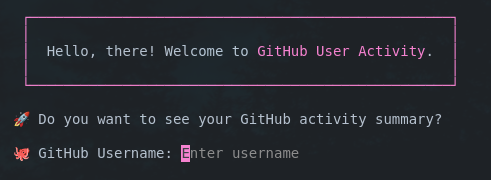
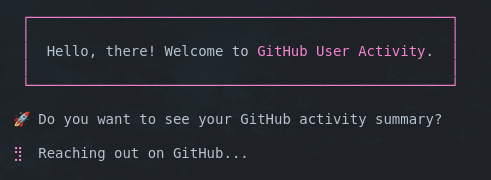
Users can enter their GitHub username, and the script will display their activity.
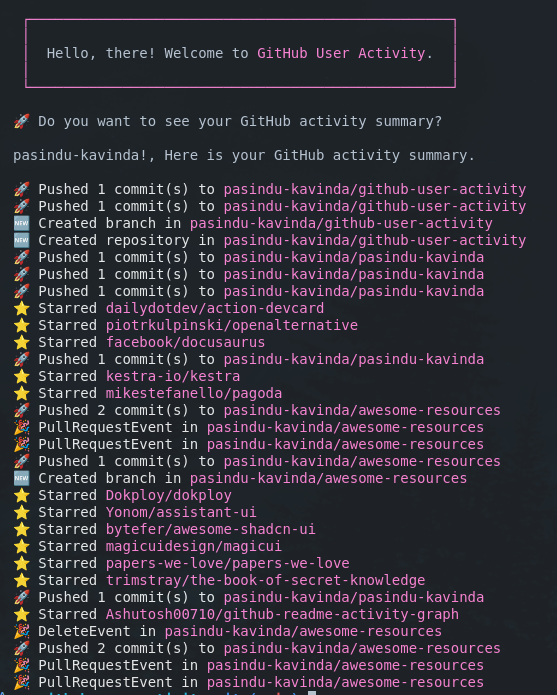
The script will list your activities in the following format:
Check out the GitHub repository.